
The Rocket Spin app on your phone
No store download, no APK: Rocket Spin installs as a web app from Chrome or Safari in three taps. What you get on the home screen, what stays the same as desktop and what to check before you play on mobile data.
- Install steps
- 3
- App store
- Not needed
- Platforms
- Android · iOS
- Same account
- Desktop & mobile
Rocket Spin app: no store download, a web app instead
Searches for a "Rocket Spin app download" usually end in confusion, because there is no native Rocket Spin Casino app in the Apple App Store or Google Play. What the operator offers instead is a progressive web app (PWA): the full rocketspin.com site, saved to your phone's home screen with its own icon so it opens like an app.
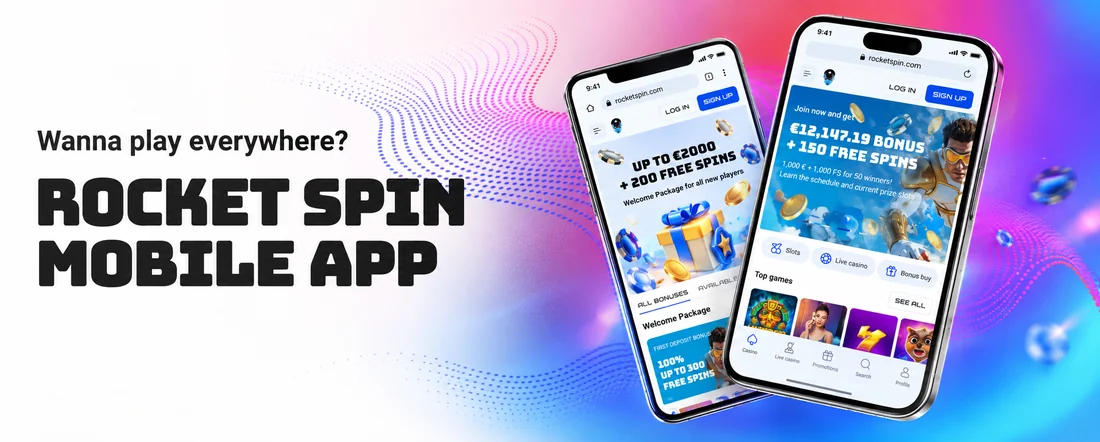
The operator's own install page, at rocketspin.com/en-AU/install-app, carries the heading "Wanna play everywhere?" and two buttons labelled "Get version for Android" and "Get version for iOS". Both lead to the same thing: short instructions for adding the website to your home screen through the browser. Nothing is downloaded from a store, there is no APK file to sideload and there is no separate app review process. The site header also carries a "Download App" link that points to the same install page.
For Australian players that is worth knowing for two reasons. First, any listing in an app store that calls itself the "Rocket Spin Casino app" is not something the operator advertises, so treat it with suspicion. Second, the web app is the same product as the desktop site: the same account, the same AUD balance, the same welcome package and the same terms. If you want the wider picture of the brand before installing anything, the complete Rocket Spin breakdown covers the operator, the bonuses and the cashier in one place.
Rocket Spin is run offshore by Metlait SRL (Costa Rica) under Tobique Gaming Commission licence no. 0000064. It is not supervised by the ACMA, and the Interactive Gambling Act 2001 does not allow online casinos to be offered to Australians. Installing the web app does not change that position — you are still dealing with an offshore site without Australian regulatory protection.
 Get the app
Why a PWA rather than a native casino app
Real-money casino apps face strict store rules in many countries, and an offshore operator without an Australian licence cannot list one for Australian users. A progressive web app sidesteps the store entirely: it runs inside your phone's browser engine, so the lobby, cashier and account pages are the same code you would see on a laptop, just laid out for a smaller screen.
The practical upside is that there is nothing to update. When the operator changes the lobby or adds games, the home-screen icon simply loads the current site. The downside is that you depend on your browser for things a native app would handle itself, such as notifications and background behaviour.
How to install the Rocket Spin web app on Android
The Android method published by the operator takes three taps. The wording below follows the official install page; menu labels can differ slightly between Chrome, Samsung Internet and other browsers, but the "Add to Home Screen" option sits in the main browser menu in each of them.
Android: three steps to a home-screen icon
Steps as published on rocketspin.com/en-AU/install-app, condensed into one phone card each.
Go to the Rocket Spin homepage and tap the three dots to open the browser menu.
Choose "Add to the Home Screen" from the menu list.
Confirm your selection by tapping the "Install" button.
Source: Rocket Spin install page (rocketspin.com/en-AU/install-app), "How to install web app on Android".
Tips for Android users
Before you tap the three dots, check the address bar. The install creates a shortcut to whatever site is open, so if you arrived through an ad or a lookalike link, the icon will point to that page rather than the real casino. Section 06 below explains what to look for.
Once installed, the icon behaves like any other app on your launcher: you can move it into a folder, long-press it to remove it, or drag it off the home screen without affecting your account. Removing the icon does not close or delete your Rocket Spin account; that has its own procedure by email. If you prefer to be logged out every time, you can sign out manually inside the web app, and the browser's own settings control whether passwords are remembered. The guide to signing in on a phone walks through the login screen, password resets and what to do when an account is locked.
Installing the Rocket Spin app on iPhone with Safari
On an iPhone the operator tells you to use Safari. The three steps on the install page are:
- Open the site in SafariOpen rocketspin.com with Safari and tap "Share" on the bottom navigation panel.
- Find the optionLocate and select the "Add to Home Screen" option from the menu. You may need to scroll the share sheet to see it.
- ConfirmConfirm your selection by tapping the "Add" button. The Rocket Spin icon then appears on your home screen.
The instructions name Safari specifically, and that is the safest route on iOS. Other browsers on iPhone handle home-screen shortcuts differently, so if the option is missing, switch to Safari rather than hunting through another browser's menus.
The same applies to iPad: the share button sits in the top toolbar rather than at the bottom, but "Add to Home Screen" and "Add" work the same way. The resulting icon opens the site full screen without Safari's address bar, which gives the lobby more room.
What you will not find on iOS
Because this is a web app, there is no listing in the App Store, no App Store ratings and no in-app purchase system. Deposits go through the same cashier as on desktop. For Australian accounts that means Visa, Mastercard, the CashtoCode e-wallet and cryptocurrencies (BTC, ETH, USDT, DOGE, LTC, BCH), with a A$30 minimum for cards and the e-wallet and roughly a €20 equivalent for crypto. PayID, POLi, Neosurf and BPAY are not in the AU cashier, on mobile or anywhere else.
What the casino app gives you on the home screen
The web app mirrors the desktop site, so most features are present. A few depend on your browser or simply do not exist because there is no native app. The status board below is an editorial assessment of the experience, based on how a PWA of this type works and on what the operator publishes — not a lab test of every phone.
Rocket Spin web app: feature status
Editorial assessment: green = same as desktop, amber = depends on device or browser, red = not available.
Source: editorial assessment; lobby tabs and support details from rocketspin.com/en-AU and its FAQ.
Games on a small screen
The lobby inherits the full catalogue, including studios such as Pragmatic Play, BGaming, Playson, Hacksaw, Nolimit City and Red Tiger. Two restrictions apply to Australia regardless of device: the operator's terms list Australia among the blacklisted territories for NetEnt games (T&C 3.3), and Amatic is restricted in Australia (T&C 3.4), so neither studio's titles should be expected in an AU lobby. The FAQ also confirms a "Play for Fun" demo mode, which loads a game without risking money — useful for checking how a title looks on your screen before you stake anything. Most modern releases are built in HTML5 for touch screens, and the overview of pokies that run well on mobile explains the lobby categories and mechanics such as Bonus Buy and Hold & Win.
Bonuses work the same way
Playing from the home-screen icon does not change any bonus rule. The welcome package is up to A$5,000 plus 300 free spins over four deposits, the bonus policy sets 40× wagering, a A$7.50 maximum bet while wagering (clause 2.2) and a three-day bonus life (clause 1.3). Australia is listed among the countries that cannot use no-deposit bonuses (clause 5.3), so a "free app bonus" for installing the web app is not something the operator publishes.
Mobile data and battery tips for casino apps in Australia
The operator does not publish data-usage figures, so the advice below is general and applies to any browser-based casino. The two things that drain a phone fastest are live video and long sessions with the screen at full brightness.
Use Wi-Fi for live tables
Live dealer games stream video for as long as you sit at the table. On a capped mobile plan, Wi-Fi is the safer choice for longer sessions.
Pokies are lighter
A pokie downloads its graphics when it loads and then exchanges small amounts of data per spin, so it usually uses far less than a stream.
Watch the clock, not just the battery
The operator's session limit can log you out automatically after a time you choose, anywhere from 6 to 1,000,000 minutes.
Close idle tabs
A web app shares resources with the browser. Closing other heavy tabs keeps games smoother and reduces heat.
When a game freezes mid-round
Mobile connections drop more often than home broadband. The operator's FAQ says that if a game freezes, the latest round may stay unfinished, but in such cases it is usually played on the server and any winnings are added to your balance. If a game will not start at all, the FAQ suggests checking your connection, clearing the browser cache and cookies, restarting the browser and then contacting support. (The same FAQ answer still mentions Flash and Java, which modern phones do not use; the cache-and-restart steps are the part that applies to a web app.)
Server logs decide disputes about results: T&C 15.3 says that if your screen and the casino's server disagree, the server record prevails. That is another reason to play on a stable connection rather than on a train between tunnels.
Responsible play on a phone
A casino on your home screen is always one tap away, which is convenient and also a risk. The operator's responsible gaming tools — deposit, loss and wager limits per day, week or month, cooling-off for 1 week to 6 months and self-exclusion from 6 months to indefinitely — apply to the account, so they work on the web app exactly as on desktop. Note the operator's own caveat that deposit limits cannot always be applied to cryptocurrency transactions. Free, confidential help is available from Gambling Help Online on 1800 858 858, 24/7.
Safety: the real Rocket Spin domain versus copycat apps
Search results for the brand are crowded with pages about RocketPlay and "Rocket Casino" — different brands with different operators and bonuses. Some of these pages call themselves a "Rocket casino app". Installing the wrong site to your home screen is the easiest mistake to make.
Signs you are on the right site
- The address bar shows rocketspin.com (the Australian pages sit under /en-AU).
- The footer names Metlait SRL, Costa Rica, and licence no. 0000064 from the Tobique Gaming Commission.
- The welcome offer reads up to $5,000 + 300 free spins with codes ROCKETSPIN2, ROCKETSPIN3 and ROCKETSPIN4.
- Install instructions match the three Android and three iPhone steps above.
Red flags
- An APK file or a store listing claiming to be the official Rocket Spin app.
- A different brand name such as RocketPlay or Rocket Casino in the logo or footer.
- A "no-deposit bonus for Australians" — the bonus policy excludes Australia (clause 5.3).
- Requests to deposit through PayID, POLi, Neosurf or BPAY, which the AU cashier does not offer.
The operator's FAQ states that data transfers use 128-bit Secure Socket Layer encryption and the PGP protocol. In practice, the padlock in the browser and the exact domain are what you can check yourself. If anything about a page looks off, close it and open the site by typing the address manually before you add it to your home screen.
Also keep in mind that T&C 3.2 prohibits using a VPN to get around geographic restrictions and warns that winnings may be confiscated. A web app is not a workaround for any country or game restriction.
Rocket Spin app FAQ
Is there a Rocket Spin app in the App Store or Google Play?
No. The operator publishes a web app (PWA) instead. You add rocketspin.com to your home screen from the browser menu on Android or from Safari's Share menu on iPhone.
How many steps does the install take?
Three on each platform, according to the official install page: open the menu or Share panel, choose "Add to Home Screen", then confirm with "Install" (Android) or "Add" (iPhone).
Do you need a separate account for the mobile app?
No. The web app is the same site, so you log in with the same account and see the same AUD balance. The terms allow only one account per person (T&C 8.1), so opening a second one on your phone would count as a duplicate.
Is there a bonus for installing the Rocket Spin app?
The operator does not publish an app-only bonus. The standard welcome package of up to A$5,000 plus 300 free spins applies on any device, while no-deposit bonuses are not available to players from Australia under bonus policy clause 5.3.
Can you deposit with PayID on mobile?
No. The AU cashier lists Visa, Mastercard, the CashtoCode e-wallet and cryptocurrencies. PayID, POLi, Neosurf and BPAY are not offered on mobile or desktop.
Will the web app send push notifications?
The operator does not describe notifications for the web app. Whether a home-screen site can send them depends on your browser and phone settings.
Is the Rocket Spin app legal in Australia?
Rocket Spin is an offshore casino licensed by the Tobique Gaming Commission and run by Metlait SRL in Costa Rica. It is not ACMA-supervised, and the Interactive Gambling Act 2001 prohibits offering online casino services to Australians, so there is no Australian regulator to complain to if something goes wrong.